



Choosing web hosting for your first website is easier when you focus on what the website actually needs rather than which plan has the longest feature list.
Hosting providers often promote low introductory prices, generous storage, free extras, and performance claims. However, the right plan depends on your website platform, expected traffic, technical experience, budget, and the amount of maintenance you are prepared to handle.
This guide explains the factors that matter most, the features beginners should check, and the costs that are easy to overlook before purchasing a hosting plan.
Begin with the Website You Plan to Build
Before comparing hosting companies, identify the purpose of your website.
A personal blog, local business website, portfolio, affiliate content site, and online store may require different levels of performance, support, security, and management.
Consider which of these descriptions best matches your project:
- A personal blog with articles and images
- A portfolio displaying your work
- A local business website with contact forms
- A content or affiliate website
- A small online store
- A membership or course website
- A website that may receive unpredictable traffic
- A custom application requiring server access
A new informational website usually does not need an advanced server. Beginning with an oversized plan can increase costs without creating a meaningful benefit.
The more practical approach is to choose a plan that supports your current website and provides a clear upgrade path for future growth.
For a broader explanation of the available options, read Types of Web Hosting Explained: A Complete Beginner’s Guide.
Decide Which Website Platform You Will Use
Your website platform affects which hosting services you should consider.
WordPress
Self-hosted WordPress requires a hosting account that supports the software’s current technical requirements. WordPress.org states that a suitable hosting environment must support the necessary PHP and database software as well as HTTPS. Most established hosting providers offer plans capable of running WordPress, but you should still verify current compatibility before purchasing. (WordPress.org)
You can run WordPress on general-purpose hosting or choose a WordPress-specific plan.
A general shared hosting plan may be sufficient when you:
- Are building a small website
- Want a lower starting cost
- Do not need advanced WordPress tools
- Are comfortable managing updates and settings
A WordPress hosting plan may be more suitable when you want:
- Simplified WordPress installation
- Automatic updates
- WordPress-specific support
- Built-in caching
- Staging tools
- Managed backups
- Additional maintenance assistance
The phrase “WordPress hosting” does not guarantee better performance. Providers use the label for different types of services, ranging from regular shared hosting with WordPress features to more specialized managed platforms.
Compare the actual features and resource limits rather than choosing based only on the plan name.
Read Shared Hosting vs WordPress Hosting: Which Is Best for You? for a detailed comparison.
Hosted Website Builders
A hosted website builder normally combines hosting, templates, editing tools, security maintenance, and software updates in one service.
This may be suitable when you:
- Want a simple setup process
- Do not want to manage hosting separately
- Prefer a visual editor
- Need only standard website features
- Value convenience more than server control
Before choosing a website builder, check its design limitations, pricing structure, application integrations, export options, e-commerce fees, and rules for moving the website elsewhere.
Custom Websites and Applications
A custom application may require a VPS, cloud platform, or another configurable hosting environment.
These services can provide more control, but they may also make you responsible for:
- Server configuration
- Software updates
- Security monitoring
- Backups
- Troubleshooting
- Resource management
Beginners should not choose an unmanaged server solely because the advertised price appears attractive. The time and knowledge required to operate it are part of the real cost.
Choose the Appropriate Type of Hosting
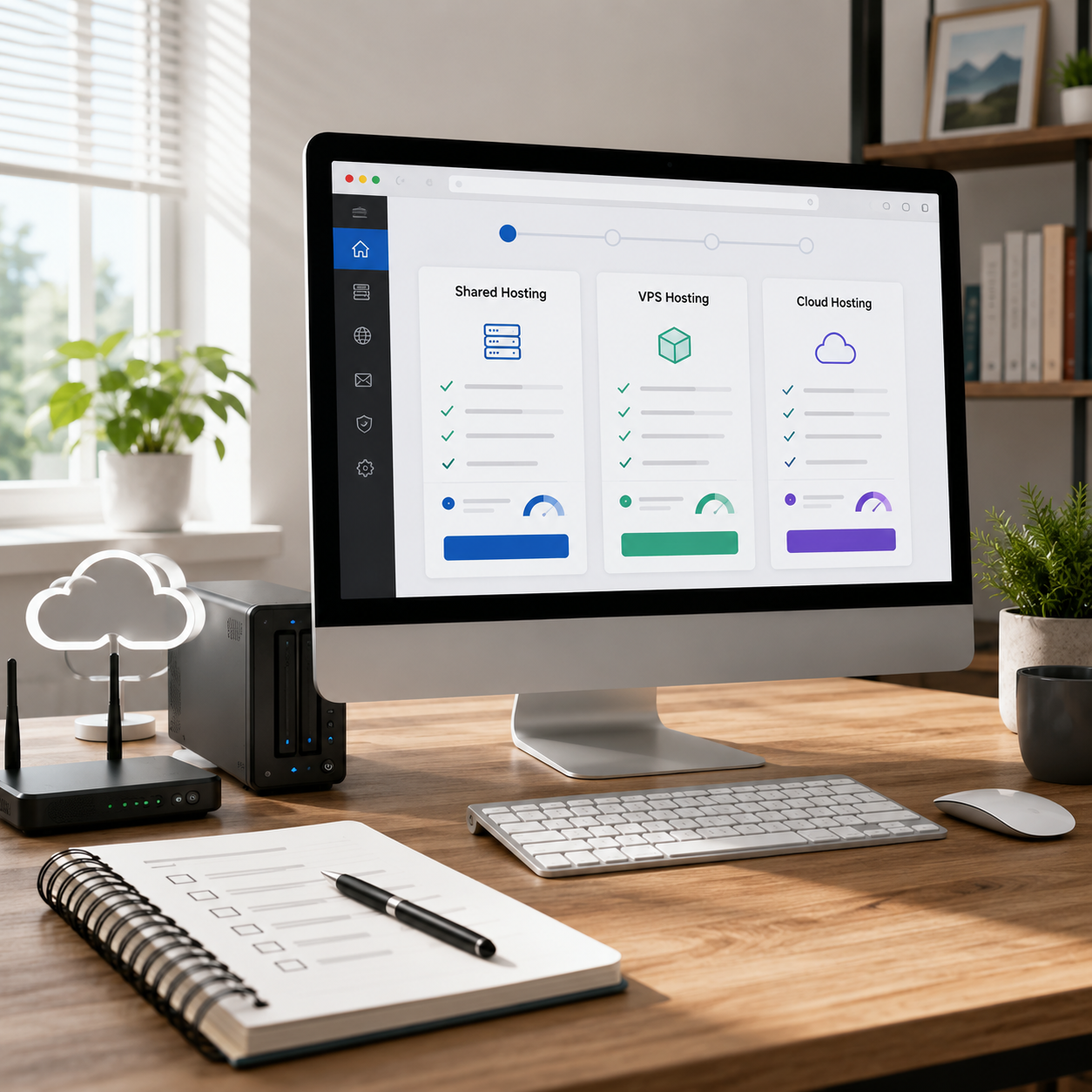
After identifying your platform, compare the hosting categories that could support it.
Shared Hosting
Shared hosting is commonly used for new and relatively small websites. Multiple customer accounts use the same underlying server infrastructure, allowing providers to offer lower-priced plans.
It may suit:
- A first website
- A small blog
- A portfolio
- A basic business website
- A content website with modest traffic
The main limitations involve shared resources and account restrictions. A plan may advertise substantial storage while imposing separate limits on processing power, memory, file counts, databases, or simultaneous activity.
Shared hosting is not automatically poor-quality hosting. A well-matched shared plan can be sufficient for a small website.
WordPress Hosting
WordPress hosting is designed for websites using WordPress. Depending on the provider, it may include installation tools, backups, caching, security features, updates, migration, or specialized support.
WordPress.org distinguishes between general hosting that supports different applications and WordPress-specific hosting designed around the platform. (WordPress.org)
This option may be useful when convenience and support are more important than choosing the lowest available price.
VPS Hosting
A virtual private server provides a more isolated environment and usually offers greater control or more predictable resources than entry-level shared hosting.
It may be appropriate when:
- A website repeatedly reaches shared hosting limits
- You need custom server software
- You manage several resource-intensive websites
- You need more administrative control
- You have technical support available
A VPS may be managed or unmanaged. These are very different services.
With managed VPS hosting, the provider handles more technical work. With unmanaged VPS hosting, much of the responsibility for setup, updates, security, and troubleshooting remains with you.
Cloud Hosting
Cloud hosting can offer flexible infrastructure and may be useful for projects with changing resource requirements.
However, cloud services vary widely. Some are beginner-friendly managed platforms, while others require technical configuration and use consumption-based billing.
Check whether the service provides:
- Fixed or variable billing
- Spending controls
- Managed backups
- Technical support
- Automatic scaling
- Data transfer allowances
- Server management
A simple website with predictable traffic may be easier to manage on a fixed-price plan.
Dedicated Hosting
Dedicated hosting gives one customer access to an entire physical server.
Most first websites do not need this level of infrastructure. It is normally considered for projects with substantial resource, configuration, compliance, or operational requirements.
For a fuller comparison, see Different Types of Web Hosting Services: Which One Is Right for Your Website?
Estimate Your Initial Traffic Realistically
New website owners sometimes purchase advanced hosting because they hope to receive large amounts of traffic later.
Future growth matters, but expected growth should not be confused with current requirements.
Ask:
- Do you already have an audience?
- Will you run a paid campaign at launch?
- Are you moving an established website?
- Will the website contain an online store or membership system?
- Do you expect sudden traffic increases?
- Can the plan be upgraded easily?
A new blog or business website without an established audience can usually begin with an entry-level plan that has a practical upgrade path.
Traffic limits are also not always expressed as a simple number of monthly visitors. Resource usage depends on page size, caching, plugins, database activity, concurrent visitors, and the type of content being served.
Treat visitor estimates provided by hosting companies as general guidance rather than a performance guarantee.
Understand Storage and Bandwidth
Storage and bandwidth are two of the most visible features on a hosting sales page, but they do not explain the complete capacity of a plan.
Storage
Storage is the space used by:
- Website files
- Images
- Themes
- Plugins
- Databases
- Backups
- Log files
A small website may not require a large amount of storage. Image-heavy websites, download libraries, video files, and multiple stored backups can use considerably more.
Check whether email and backups count toward the same storage allowance.
Bandwidth or Data Transfer
Bandwidth or data transfer generally relates to the amount of data delivered between the hosting service and website visitors.
The amount used depends on:
- Number of visitors
- Page size
- Images and downloadable files
- Video delivery
- Cached content
- Automated traffic
- External services
Avoid choosing a plan based only on the word “unlimited.” Hosting services still operate under technical limits and acceptable-use policies.
Look for clear explanations of what happens when usage becomes unusually high.
Look Beyond Storage to Server Resources
A website can experience performance problems without using all its advertised storage.
Other relevant resources may include:
- Processing capacity
- Memory
- Database connections
- File or inode limits
- Entry processes
- Simultaneous requests
- PHP workers
- CPU usage limits
Providers do not always present these limits prominently on the main pricing page. They may appear in technical documentation, account-limit pages, or acceptable-use policies.
You do not need to become a server expert before purchasing hosting. However, you should confirm that the provider explains its limits and offers a clear procedure for upgrading if your website reaches them.
Confirm That HTTPS Is Included
HTTPS encrypts the connection between a visitor’s browser and the website. WordPress lists HTTPS as a requirement, while Google includes secure delivery among the elements of a positive page experience. (WordPress.org)
Many hosting services include a standard SSL or TLS certificate, sometimes through an automated certificate authority such as Let’s Encrypt. Let’s Encrypt provides free certificates that help websites enable HTTPS encryption. (Let’s Encrypt)
Before purchasing, check:
- Whether a certificate is included
- Whether it renews automatically
- Whether it covers every connected domain or subdomain you need
- Whether setup is automatic
- Whether the host charges for installation
- What support is available if HTTPS stops working
Do not assume that the phrase “free SSL” means every certificate type or configuration is included.
Examine the Backup System
Backups are one of the most important hosting features, but providers use the word “backup” to describe different services.
Check:
- How frequently backups are created
- How long they are retained
- Whether databases and files are both included
- Whether email is included
- Whether you can create a manual backup
- Whether restoration is self-service
- Whether restoring a backup costs extra
- Whether backups remain available after cancellation
- Whether backups use storage from your account
A backup is valuable only when it can be restored successfully.
Even when a host provides automated backups, keeping an independent backup for an important website can reduce dependence on one system.
Evaluate Customer Support Before You Need It
Support can matter more than a small difference in storage or introductory pricing, especially for a first website.
Check which channels are available:
- Live chat
- Support tickets
- Telephone
- Documentation
- Community forums
Also examine what the support team actually covers.
Hosting support may help with server availability but not with:
- Theme customization
- Plugin conflicts
- Website design
- Custom code
- Search engine optimization
- Third-party software
WordPress-specific support may provide more help with the platform, but the scope still varies by provider and plan.
Before purchasing, look for clear support hours and limitations rather than relying only on the phrase “24/7 support.”
Check the Website Migration Policy
Migration assistance is important when moving an existing website, but it can also matter later if you build a temporary version elsewhere.
Find out:
- Whether migration is included
- How many websites can be migrated
- Which platforms are supported
- Whether email is included
- Whether the migration is automated or completed by a technician
- Whether downtime is expected
- Whether additional migrations cost extra
- Whether migration assistance is available only after purchasing a long-term plan
If this is your first website and nothing has been built yet, migration may not be an immediate priority. It is still useful to know how easily the website could be moved in the future.
Decide Whether You Need Email Hosting
A custom email address can make a business website appear more established, but email is not included in every hosting plan.
Some providers:
- Include a limited number of mailboxes
- Include email only during the first term
- Sell email separately
- Provide basic email without advanced filtering
- Do not provide email hosting
Check:
- Number of email accounts
- Storage per mailbox
- Spam filtering
- Webmail access
- Device setup
- Backup policy
- Renewal price
- Migration support
Do not assume that purchasing a domain and web hosting automatically includes permanent business email service.
Compare Introductory and Renewal Pricing
The lowest price displayed on a hosting page may apply only when you:
- Choose a specific plan
- Pay for a long term in advance
- Use a new-customer promotion
- Purchase before a promotional deadline
- Accept automatic renewal
Before buying, calculate:
- Initial payment
- Length of the first billing term
- Regular renewal rate
- Domain renewal
- Email renewal
- Backup add-ons
- Security add-ons
- Taxes or local charges
- Currency conversion
- Optional setup services
A plan with a slightly higher initial price may provide better long-term value when important features are included and the renewal rate is clearer.
Do not compare only the monthly equivalent displayed in large text. Compare the amount you must pay at checkout and the expected cost when the service renews.
Read the Refund and Cancellation Terms
A money-back period does not necessarily cover every purchase associated with the account.
Possible exclusions may include:
- Domain registration
- Domain renewal
- Setup services
- Migration
- Premium certificates
- Email products
- Add-ons
- Renewal charges
- Usage-based services
Check how cancellation works and whether automatic renewal must be disabled before a particular date.
Save copies of important plan details and receipts. Hosting packages and promotional pages can change over time.
Check Whether the Plan Can Grow with Your Website
A beginner plan does not need unlimited capacity. It does need a reasonable route to the next level.
Ask:
- Can you upgrade without moving the website?
- Are higher-tier shared plans available?
- Is managed WordPress hosting available?
- Can you move to VPS or cloud hosting?
- Will the provider assist with the upgrade?
- Could the website experience downtime?
- Can you downgrade later?
- What happens to prepaid time after changing plans?
A clear upgrade path is usually more valuable than paying for advanced infrastructure before it is needed.
Consider Website Speed Without Believing Guarantees
Hosting can affect website performance, but it is only one part of the system.
Website speed can also be influenced by:
- Image size
- Theme quality
- Plugins
- Database maintenance
- Caching
- Advertising scripts
- Analytics scripts
- External fonts
- Video embeds
- Content delivery
- Visitor location
Google’s Core Web Vitals evaluate real-world loading performance, interactivity, and visual stability. Google recommends providing a good page experience, but no hosting label alone guarantees that a website will meet those measurements. (Google for Developers)
Look for useful hosting features such as:
- Current server software
- Server-level caching
- Data center choices
- CDN integration
- Adequate resource limits
- Upgrade options
Avoid claims that a provider will make every website fast automatically.
Consider Security Responsibilities
A hosting company secures and maintains its infrastructure, but website owners still have responsibilities.
Depending on the platform, you may need to manage:
- Strong passwords
- User permissions
- Software updates
- Plugin updates
- Theme updates
- Backup verification
- Spam protection
- Malware monitoring
- Account access
- Security alerts
Managed hosting may handle more tasks, but it does not remove every security responsibility.
Check what the provider includes and what remains your responsibility before assuming that a security label covers the entire website.
Avoid Paying for Unnecessary Add-ons
Hosting checkout pages may offer several optional services.
Some may be useful, while others may duplicate features already included through your hosting plan, website platform, plugin, or independent service.
Before adding an extra product, ask:
- Is this already included?
- Does the website need it now?
- Is it a one-time or recurring charge?
- What will it cost at renewal?
- Can it be added later?
- Is there another way to obtain the same function?
- Does cancellation affect the website?
Do not add a service merely because the checkout page marks it as recommended.
Common Mistakes When Choosing First-Time Hosting
Selecting the Cheapest Advertised Price
The lowest introductory rate may not include backups, email, migration, or useful support.
Choosing the Most Expensive Plan for Future Growth
Paying for unused infrastructure does not guarantee that the website will succeed or grow.
Comparing Plan Names Instead of Features
Terms such as business, premium, professional, and managed do not have one standard meaning across all providers.
Ignoring Renewal Costs
The first payment may cover only the promotional term.
Assuming Unlimited Means Without Restrictions
Technical and acceptable-use limits still apply.
Choosing an Unmanaged Service Without Technical Help
Lower infrastructure costs can be offset by the time and expertise required to manage the server.
Believing Hosting Solves Every Performance Problem
Themes, plugins, images, scripts, and configuration can also affect speed.
Purchasing Before Choosing a Website Platform
The platform should help determine the hosting environment, not the other way around.
A Practical Hosting Checklist
Before purchasing your first hosting plan, confirm the following:
- The plan supports your website platform
- Current technical requirements are met
- HTTPS is included
- The initial payment is clear
- The renewal price is clear
- Storage and resource limits are explained
- Backups are included or available
- The restoration process is clear
- Customer support channels meet your needs
- Email availability is understood
- Migration terms are explained
- Refund exclusions are clear
- Automatic renewal settings are understood
- The plan can be upgraded
- You know which maintenance tasks remain your responsibility
If several of these details are difficult to find, contact the provider before purchasing and keep a copy of the response.
Which Hosting Plan Should a Beginner Choose?
A basic shared hosting plan may be enough for a new blog, portfolio, or small informational website.
A WordPress-specific plan may be worth considering when you want simplified setup, managed updates, backups, caching, or WordPress-focused support.
A hosted website builder may be easier when you want an all-in-one service and do not need extensive control.
A VPS, cloud environment, or dedicated server should solve a specific requirement. These services are not automatically better choices for a first website.
Choose the simplest plan that responsibly supports your website today, provides the features you genuinely need, and allows you to upgrade without unnecessary disruption.
Do not choose based only on the lowest first-term price, the largest storage number, or the longest list of included features. The better choice is the plan whose costs, limitations, maintenance responsibilities, and support match the way you intend to operate your website.
Compare shared hosting and WordPress hosting
Compare the two common options for new WordPress websites before deciding whether general shared hosting or WordPress-specific features better fit your needs.
✅ Last Updated on August 1, 2026 by GET Great Picks Team